Locate the work
Use the building footprints and aerial context to discuss the intended project area.
For facilities teams and project coordinators: bring buildings, parcels, and campus boundaries together so people can discuss the same site with the same reference.
A campus project may involve a building, surrounding land, and several people working from different records. A shared map helps establish the location before the team discusses scope.
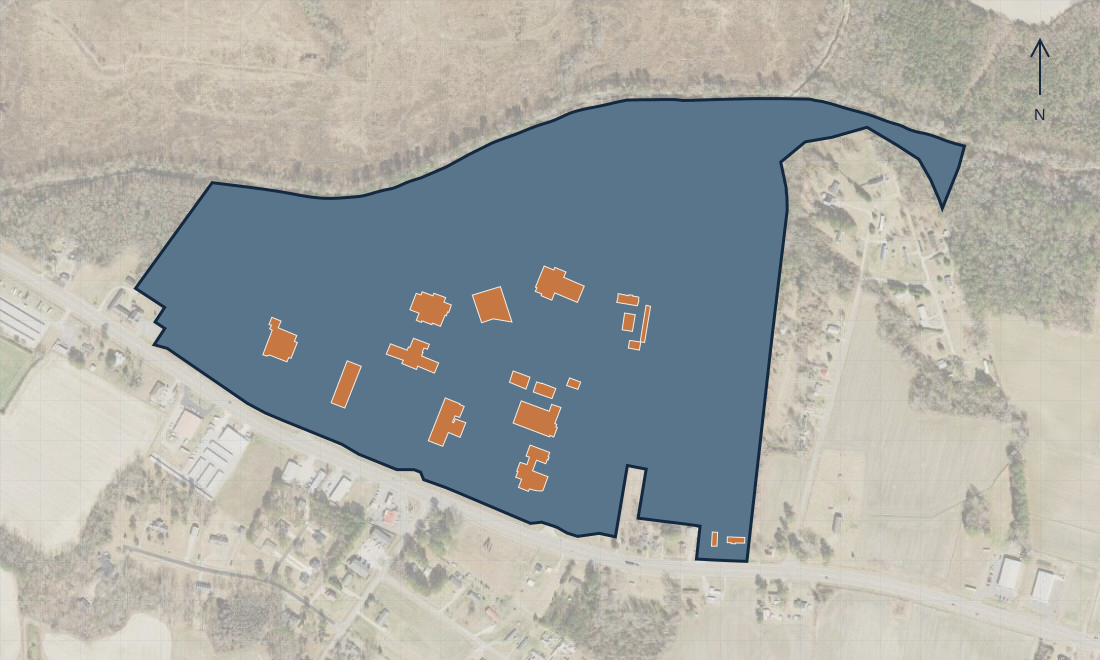
Aerial imagery: NC OneMap / NC Center for Geographic Information and Analysis. Background imagery may differ in date from the project layers.
Use the map in an early planning conversation to establish which building and surrounding area the team means.
Use the building footprints and aerial context to discuss the intended project area.
Compare the area with the mapped parcels and campus outline. Confirm ownership and boundary questions against authoritative records.
Record the project area, purpose, and information still needed—such as access contacts, drawings, or utility records—before arranging a site visit.
The useful result: a common visual starting point for facilities staff, consultants, and project coordinators.
This example displays 18 building footprints, six parcels, and one campus boundary from the supplied GIS package. It does not include indoor plans, utility locations, ownership verification, or a completed facilities assessment.
Discuss a campus mapping need →